


Black dragons place
Wireless Mice 3 Mode BT 5.2/2.4G/USB Mini Capacitive Mouse Portable Silent Mouse 3 Adjustable DPI for PC Laptop Notebook Desktop
SPECIFICATIONS
2.4G frequency: 2402~2480MHz
Acceleration: Max 10g
Accessories Type: Gaming Mice
Brand Name: yeston
Button life: 5 million times
Charging interface: USB-C interface
Choice: yes
Color: multiple colors available
Compatible Brand/Model: None
DPI: 2400
Electric: No
Full charging time: about 30 minutes
Gross Weight: 75 g
Hand Orientation: Both Hands
Hign-concerned Chemical: None
Interface Type: USB
Lithium battery capacity: 150mAh
Model: CAP3
Number of Buttons: 3
Operating current: ≤5mA
Operating voltage: 5.0±0.5V
Operation Mode: Opto-electronic
Origin: Mainland China,Mainland China
Package: Yes
Packing weight: 75g
Power Type: RECHARGEABLE
Product size: 40.00x40.00x8.00mm/1.57x1.57x0.31inch
Product weight: 28g
Rate of return: 125Hz (wired/2.4G)/133Hz (BT)
Specifications: round/square (optional)
Storage bag size: 110*75*26mm/4.33*2.95*1.02inch
Style: Mini
Tracking speed: 30ips
Type: 2.4Ghz Wireless
Working distance: about 10m in open space without obstruction
|
[CstomizedpruductTemplate] [/CustomizedpruductTemplate] 
Wireless Mouse 3 Mode BT 5.2/2.4G/USB Mini Capacitive Mouse Ultra Thin Wireless Computer Mouse 3 Adjustable DPI Rechargeable with USB Receiver for PC Laptop Notebook Desktop
Feature: 1. Ultra-Quiet and Sleek Design: The wireless mouse features an exceptionally quiet design, minimizing clicking noise for a more peaceful work environment. Its ultra-thin, compact size ensures it easily fits into any bag, making it the perfect travel companion for professionals on the go. 2. Premium Build Quality: Crafted from high-grade aluminum alloy, this wireless mice model combines durability with a stylish appearance. The integration of BT, 2.4G, and USB connectivity options provides versatile compatibility with a wide range of devices, ensuring seamless operation whether at home or in the office. 3. Adjustable DPI Settings: Catering to your precise control needs, the portable silent mouse offers adjustable DPI settings of 1000, 1600, and 2400. This feature allows for smooth and accurate tracking on different surfaces, enhancing your productivity and gaming experience. 4. Advanced Optical Technology: Equipped with an infrared sensor, the ultra-thin wireless computer mouse eliminates the need for a light emitter, reducing power consumption while offering precise cursor control. Its long-lasting button life ensures reliability and performance, safeguarding against the common issue of "mouse hand." 5. Innovative Scroll Operation: The computer mice introduce an innovative way to navigate through documents and web pages. By pressing the middle button and moving the mouse up or down, users can effortlessly scroll, providing a convenient alternative to traditional wheel scrolling and enhancing the overall user experience. Specification: Origin: Mainland China Type: 2.4Ghz Wireless Interface Type: USB DPI: 2400 Style: Mini Package: Yes Hand Orientation: Both Hands Number of Buttons: 3 Power Type: RECHARGEABLE Operation Mode: Opto-electronic Gross Weight: 75 g Model: CAP3 Specifications: round/square (optional) Color: multiple colors available Operating voltage: 5.0±0.5V Operating current: ≤5mA Lithium battery capacity: 150mAh USB2.0 full speed Charging interface: USB-C interface Full charging time: about 30 minutes BT low energy version 5.2 2.4G frequency: 2402~2480MHz Working distance: about 10m in open space without obstruction Rate of return: 125Hz (wired/2.4G)/133Hz (BT) Tracking speed: 30ips Acceleration: Max 10g Button life: 5 million times System requirements: Compatible with Windows/for Android/Mac OS/IOS/Linux/Hongmeng operating system with USB-A interface and/or BT function Product weight: 28g Packing weight: 75g Product size: 40.00x40.00x8.00mm/1.57x1.57x0.31inch Storage bag size: 110*75*26mm/4.33*2.95*1.02inch DPI and continuous scrolling rate adjustment: DPI speed adjustment: Press the "Left" and "Middle" keys simultaneously for 2 seconds to cycle through three levels of cursor movement speed. At this time, the corresponding "Status and Mode Indicator" will flash. One flash means 1000dpi, and two flashes mean 1600dpi. , flashes three times for 2400dpi. Continuous scrolling rate adjustment: Press and hold the "Left", "Middle" and "Right" keys simultaneously for 2 seconds to adjust the continuous scrolling rate. At this time, the corresponding "Status and Mode Indicator" will flash, one flash means normal speed, two flashes It is high speed (default), and it flashes three times for ultra-high speed. Left-handed user preferences: Press the "Left", "Center" and "Right" keys simultaneously for 30 seconds until you see the light flash 5 times to complete the left and right key function swap. How to connect and use: 2.4G wireless mode: Switch to the left to 2.4G mode. At this time, the mode status indicator light shows green, and then insert the 2.4G Nano receiver into the USB-A interface to be connected to the computer to use it. Wired/off mode: Switch to the middle wired/off mode, which is off by default. But once connected to the computer through the matching cable, it will automatically enter wired mode. At the same time, the lithium battery is charged, and the charging status indicator light shows red and will go out when fully charged. BT mode: Switch to the right to BT mode. Now the computer is searching for BT devices. Press the "middle" and "right" buttons at the same time. The blue light will keep flashing and enter the BT broadcast code connection state. Then you can pair with the computer. Then start using it, and the blue light stops flashing when the connection is completed. Pairing name: Capacmouse-3 5.2 Energy saving optimization in 2.4G&BT mode: After stopping use for 1 second, the mouse will enter the first-level sleep mode with a current consumption of 120uA. It will wake up in about 200 milliseconds after pressing any key. After you stop using the mouse for 5 minutes, the mouse will enter the secondary sleep mode with a current consumption of 70uA. It will wake up in about 1.8 seconds after pressing any key.
Note: Wireless Mouse 3 Mode BT 5.2/2.4G/USB Mini Capacitive Mouse Ultra Thin Wireless Computer Mouse 3 Adjustable DPI Rechargeable with USB Receiver for PC Laptop Notebook Desktop Feature: 1. Ultra-Quiet and Sleek Design: The wireless mouse features an exceptionally quiet design, minimizing clicking noise for a more peaceful work environment. Its ultra-thin, compact size ensures it easily fits into any bag, making it the perfect travel companion for professionals on the go. 2. Premium Build Quality: Crafted from high-grade aluminum alloy, this wireless mice model combines durability with a stylish appearance. The integration of BT, 2.4G, and USB connectivity options provides versatile compatibility with a wide range of devices, ensuring seamless operation whether at home or in the office. 3. Adjustable DPI Settings: Catering to your precise control needs, the portable silent mouse offers adjustable DPI settings of 1000, 1600, and 2400. This feature allows for smooth and accurate tracking on different surfaces, enhancing your productivity and gaming experience. 4. Advanced Optical Technology: Equipped with an infrared sensor, the ultra-thin wireless computer mouse eliminates the need for a light emitter, reducing power consumption while offering precise cursor control. Its long-lasting button life ensures reliability and performance, safeguarding against the common issue of "mouse hand." 5. Innovative Scroll Operation: The computer mice introduce an innovative way to navigate through documents and web pages. By pressing the middle button and moving the mouse up or down, users can effortlessly scroll, providing a convenient alternative to traditional wheel scrolling and enhancing the overall user experience. Specification: Origin: Mainland China Type: 2.4Ghz Wireless Interface Type: USB DPI: 2400 Style: Mini Package: Yes Hand Orientation: Both Hands Number of Buttons: 3 Power Type: RECHARGEABLE Operation Mode: Opto-electronic Gross Weight: 75 g Model: CAP3 Specifications: round/square (optional) Color: multiple colors available Operating voltage: 5.0±0.5V Operating current: ≤5mA Lithium battery capacity: 150mAh USB2.0 full speed Charging interface: USB-C interface Full charging time: about 30 minutes BT low energy version 5.2 2.4G frequency: 2402~2480MHz Working distance: about 10m in open space without obstruction Rate of return: 125Hz (wired/2.4G)/133Hz (BT) Tracking speed: 30ips Acceleration: Max 10g Button life: 5 million times System requirements: Compatible with Windows/for Android/Mac OS/IOS/Linux/Hongmeng operating system with USB-A interface and/or BT function Product weight: 28g Packing weight: 75g Product size: 40.00x40.00x8.00mm/1.57x1.57x0.31inch Storage bag size: 110*75*26mm/4.33*2.95*1.02inch DPI and continuous scrolling rate adjustment: DPI speed adjustment: Press the "Left" and "Middle" keys simultaneously for 2 seconds to cycle through three levels of cursor movement speed. At this time, the corresponding "Status and Mode Indicator" will flash. One flash means 1000dpi, and two flashes mean 1600dpi. , flashes three times for 2400dpi. Continuous scrolling rate adjustment: Press and hold the "Left", "Middle" and "Right" keys simultaneously for 2 seconds to adjust the continuous scrolling rate. At this time, the corresponding "Status and Mode Indicator" will flash, one flash means normal speed, two flashes It is high speed (default), and it flashes three times for ultra-high speed. Left-handed user preferences: Press the "Left", "Center" and "Right" keys simultaneously for 30 seconds until you see the light flash 5 times to complete the left and right key function swap. How to connect and use: 2.4G wireless mode: Switch to the left to 2.4G mode. At this time, the mode status indicator light shows green, and then insert the 2.4G Nano receiver into the USB-A interface to be connected to the computer to use it. Wired/off mode: Switch to the middle wired/off mode, which is off by default. But once connected to the computer through the matching cable, it will automatically enter wired mode. At the same time, the lithium battery is charged, and the charging status indicator light shows red and will go out when fully charged. BT mode: Switch to the right to BT mode. Now the computer is searching for BT devices. Press the "middle" and "right" buttons at the same time. The blue light will keep flashing and enter the BT broadcast code connection state. Then you can pair with the computer. Then start using it, and the blue light stops flashing when the connection is completed. Pairing name: Capacmouse-3 5.2 Energy saving optimization in 2.4G&BT mode: After stopping use for 1 second, the mouse will enter the first-level sleep mode with a current consumption of 120uA. It will wake up in about 200 milliseconds after pressing any key. After you stop using the mouse for 5 minutes, the mouse will enter the secondary sleep mode with a current consumption of 70uA. It will wake up in about 1.8 seconds after pressing any key.
Note: Wireless Mouse 3 Mode BT 5.2/2.4G/USB Mini Capacitive Mouse Ultra Thin Wireless Computer Mouse 3 Adjustable DPI Rechargeable with USB Receiver for PC Laptop Notebook Desktop Feature: 1. Ultra-Quiet and Sleek Design: The wireless mouse features an exceptionally quiet design, minimizing clicking noise for a more peaceful work environment. Its ultra-thin, compact size ensures it easily fits into any bag, making it the perfect travel companion for professionals on the go. 2. Premium Build Quality: Crafted from high-grade aluminum alloy, this wireless mice model combines durability with a stylish appearance. The integration of BT, 2.4G, and USB connectivity options provides versatile compatibility with a wide range of devices, ensuring seamless operation whether at home or in the office. 3. Adjustable DPI Settings: Catering to your precise control needs, the portable silent mouse offers adjustable DPI settings of 1000, 1600, and 2400. This feature allows for smooth and accurate tracking on different surfaces, enhancing your productivity and gaming experience. 4. Advanced Optical Technology: Equipped with an infrared sensor, the ultra-thin wireless computer mouse eliminates the need for a light emitter, reducing power consumption while offering precise cursor control. Its long-lasting button life ensures reliability and performance, safeguarding against the common issue of "mouse hand." 5. Innovative Scroll Operation: The computer mice introduce an innovative way to navigate through documents and web pages. By pressing the middle button and moving the mouse up or down, users can effortlessly scroll, providing a convenient alternative to traditional wheel scrolling and enhancing the overall user experience. Specification: Origin: Mainland China Type: 2.4Ghz Wireless Interface Type: USB DPI: 2400 Style: Mini Package: Yes Hand Orientation: Both Hands Number of Buttons: 3 Power Type: RECHARGEABLE Operation Mode: Opto-electronic Gross Weight: 75 g Model: CAP3 Specifications: round/square (optional) Color: multiple colors available Operating voltage: 5.0±0.5V Operating current: ≤5mA Lithium battery capacity: 150mAh USB2.0 full speed Charging interface: USB-C interface Full charging time: about 30 minutes BT low energy version 5.2 2.4G frequency: 2402~2480MHz Working distance: about 10m in open space without obstruction Rate of return: 125Hz (wired/2.4G)/133Hz (BT) Tracking speed: 30ips Acceleration: Max 10g Button life: 5 million times System requirements: Compatible with Windows/for Android/Mac OS/IOS/Linux/Hongmeng operating system with USB-A interface and/or BT function Product weight: 28g Packing weight: 75g Product size: 40.00x40.00x8.00mm/1.57x1.57x0.31inch Storage bag size: 110*75*26mm/4.33*2.95*1.02inch DPI and continuous scrolling rate adjustment: DPI speed adjustment: Press the "Left" and "Middle" keys simultaneously for 2 seconds to cycle through three levels of cursor movement speed. At this time, the corresponding "Status and Mode Indicator" will flash. One flash means 1000dpi, and two flashes mean 1600dpi. , flashes three times for 2400dpi. Continuous scrolling rate adjustment: Press and hold the "Left", "Middle" and "Right" keys simultaneously for 2 seconds to adjust the continuous scrolling rate. At this time, the corresponding "Status and Mode Indicator" will flash, one flash means normal speed, two flashes It is high speed (default), and it flashes three times for ultra-high speed. Left-handed user preferences: Press the "Left", "Center" and "Right" keys simultaneously for 30 seconds until you see the light flash 5 times to complete the left and right key function swap. How to connect and use: 2.4G wireless mode: Switch to the left to 2.4G mode. At this time, the mode status indicator light shows green, and then insert the 2.4G Nano receiver into the USB-A interface to be connected to the computer to use it. Wired/off mode: Switch to the middle wired/off mode, which is off by default. But once connected to the computer through the matching cable, it will automatically enter wired mode. At the same time, the lithium battery is charged, and the charging status indicator light shows red and will go out when fully charged. BT mode: Switch to the right to BT mode. Now the computer is searching for BT devices. Press the "middle" and "right" buttons at the same time. The blue light will keep flashing and enter the BT broadcast code connection state. Then you can pair with the computer. Then start using it, and the blue light stops flashing when the connection is completed. Pairing name: Capacmouse-3 5.2 Energy saving optimization in 2.4G&BT mode: After stopping use for 1 second, the mouse will enter the first-level sleep mode with a current consumption of 120uA. It will wake up in about 200 milliseconds after pressing any key. After you stop using the mouse for 5 minutes, the mouse will enter the secondary sleep mode with a current consumption of 70uA. It will wake up in about 1.8 seconds after pressing any key.
Note: Wireless Mouse 3 Mode BT 5.2/2.4G/USB Mini Capacitive Mouse Ultra Thin Wireless Computer Mouse 3 Adjustable DPI Rechargeable with USB Receiver for PC Laptop Notebook Desktop Feature: 1. Ultra-Quiet and Sleek Design: The wireless mouse features an exceptionally quiet design, minimizing clicking noise for a more peaceful work environment. Its ultra-thin, compact size ensures it easily fits into any bag, making it the perfect travel companion for professionals on the go. 2. Premium Build Quality: Crafted from high-grade aluminum alloy, this wireless mice model combines durability with a stylish appearance. The integration of BT, 2.4G, and USB connectivity options provides versatile compatibility with a wide range of devices, ensuring seamless operation whether at home or in the office. 3. Adjustable DPI Settings: Catering to your precise control needs, the portable silent mouse offers adjustable DPI settings of 1000, 1600, and 2400. This feature allows for smooth and accurate tracking on different surfaces, enhancing your productivity and gaming experience. 4. Advanced Optical Technology: Equipped with an infrared sensor, the ultra-thin wireless computer mouse eliminates the need for a light emitter, reducing power consumption while offering precise cursor control. Its long-lasting button life ensures reliability and performance, safeguarding against the common issue of "mouse hand." 5. Innovative Scroll Operation: The computer mice introduce an innovative way to navigate through documents and web pages. By pressing the middle button and moving the mouse up or down, users can effortlessly scroll, providing a convenient alternative to traditional wheel scrolling and enhancing the overall user experience. Specification: Origin: Mainland China Type: 2.4Ghz Wireless Interface Type: USB DPI: 2400 Style: Mini Package: Yes Hand Orientation: Both Hands Number of Buttons: 3 Power Type: RECHARGEABLE Operation Mode: Opto-electronic Gross Weight: 75 g Model: CAP3 Specifications: round/square (optional) Color: multiple colors available Operating voltage: 5.0±0.5V Operating current: ≤5mA Lithium battery capacity: 150mAh USB2.0 full speed Charging interface: USB-C interface Full charging time: about 30 minutes BT low energy version 5.2 2.4G frequency: 2402~2480MHz Working distance: about 10m in open space without obstruction Rate of return: 125Hz (wired/2.4G)/133Hz (BT) Tracking speed: 30ips Acceleration: Max 10g Button life: 5 million times System requirements: Compatible with Windows/for Android/Mac OS/IOS/Linux/Hongmeng operating system with USB-A interface and/or BT function Product weight: 28g Packing weight: 75g Product size: 40.00x40.00x8.00mm/1.57x1.57x0.31inch Storage bag size: 110*75*26mm/4.33*2.95*1.02inch DPI and continuous scrolling rate adjustment: DPI speed adjustment: Press the "Left" and "Middle" keys simultaneously for 2 seconds to cycle through three levels of cursor movement speed. At this time, the corresponding "Status and Mode Indicator" will flash. One flash means 1000dpi, and two flashes mean 1600dpi. , flashes three times for 2400dpi. Continuous scrolling rate adjustment: Press and hold the "Left", "Middle" and "Right" keys simultaneously for 2 seconds to adjust the continuous scrolling rate. At this time, the corresponding "Status and Mode Indicator" will flash, one flash means normal speed, two flashes It is high speed (default), and it flashes three times for ultra-high speed. Left-handed user preferences: Press the "Left", "Center" and "Right" keys simultaneously for 30 seconds until you see the light flash 5 times to complete the left and right key function swap. How to connect and use: 2.4G wireless mode: Switch to the left to 2.4G mode. At this time, the mode status indicator light shows green, and then insert the 2.4G Nano receiver into the USB-A interface to be connected to the computer to use it. Wired/off mode: Switch to the middle wired/off mode, which is off by default. But once connected to the computer through the matching cable, it will automatically enter wired mode. At the same time, the lithium battery is charged, and the charging status indicator light shows red and will go out when fully charged. BT mode: Switch to the right to BT mode. Now the computer is searching for BT devices. Press the "middle" and "right" buttons at the same time. The blue light will keep flashing and enter the BT broadcast code connection state. Then you can pair with the computer. Then start using it, and the blue light stops flashing when the connection is completed. Pairing name: Capacmouse-3 5.2 Energy saving optimization in 2.4G&BT mode: After stopping use for 1 second, the mouse will enter the first-level sleep mode with a current consumption of 120uA. It will wake up in about 200 milliseconds after pressing any key. After you stop using the mouse for 5 minutes, the mouse will enter the secondary sleep mode with a current consumption of 70uA. It will wake up in about 1.8 seconds after pressing any key.
Note: Wireless Mouse 3 Mode BT 5.2/2.4G/USB Mini Capacitive Mouse Ultra Thin Wireless Computer Mouse 3 Adjustable DPI Rechargeable with USB Receiver for PC Laptop Notebook Desktop Feature: 1. Ultra-Quiet and Sleek Design: The wireless mouse features an exceptionally quiet design, minimizing clicking noise for a more peaceful work environment. Its ultra-thin, compact size ensures it easily fits into any bag, making it the perfect travel companion for professionals on the go. 2. Premium Build Quality: Crafted from high-grade aluminum alloy, this wireless mice model combines durability with a stylish appearance. The integration of BT, 2.4G, and USB connectivity options provides versatile compatibility with a wide range of devices, ensuring seamless operation whether at home or in the office. 3. Adjustable DPI Settings: Catering to your precise control needs, the portable silent mouse offers adjustable DPI settings of 1000, 1600, and 2400. This feature allows for smooth and accurate tracking on different surfaces, enhancing your productivity and gaming experience. 4. Advanced Optical Technology: Equipped with an infrared sensor, the ultra-thin wireless computer mouse eliminates the need for a light emitter, reducing power consumption while offering precise cursor control. Its long-lasting button life ensures reliability and performance, safeguarding against the common issue of "mouse hand." 5. Innovative Scroll Operation: The computer mice introduce an innovative way to navigate through documents and web pages. By pressing the middle button and moving the mouse up or down, users can effortlessly scroll, providing a convenient alternative to traditional wheel scrolling and enhancing the overall user experience. Specification: Origin: Mainland China Type: 2.4Ghz Wireless Interface Type: USB DPI: 2400 Style: Mini Package: Yes Hand Orientation: Both Hands Number of Buttons: 3 Power Type: RECHARGEABLE Operation Mode: Opto-electronic Gross Weight: 75 g Model: CAP3 Specifications: round/square (optional) Color: multiple colors available Operating voltage: 5.0±0.5V Operating current: ≤5mA Lithium battery capacity: 150mAh USB2.0 full speed Charging interface: USB-C interface Full charging time: about 30 minutes BT low energy version 5.2 2.4G frequency: 2402~2480MHz Working distance: about 10m in open space without obstruction Rate of return: 125Hz (wired/2.4G)/133Hz (BT) Tracking speed: 30ips Acceleration: Max 10g Button life: 5 million times System requirements: Compatible with Windows/for Android/Mac OS/IOS/Linux/Hongmeng operating system with USB-A interface and/or BT function Product weight: 28g Packing weight: 75g Product size: 40.00x40.00x8.00mm/1.57x1.57x0.31inch Storage bag size: 110*75*26mm/4.33*2.95*1.02inch DPI and continuous scrolling rate adjustment: DPI speed adjustment: Press the "Left" and "Middle" keys simultaneously for 2 seconds to cycle through three levels of cursor movement speed. At this time, the corresponding "Status and Mode Indicator" will flash. One flash means 1000dpi, and two flashes mean 1600dpi. , flashes three times for 2400dpi. Continuous scrolling rate adjustment: Press and hold the "Left", "Middle" and "Right" keys simultaneously for 2 seconds to adjust the continuous scrolling rate. At this time, the corresponding "Status and Mode Indicator" will flash, one flash means normal speed, two flashes It is high speed (default), and it flashes three times for ultra-high speed. Left-handed user preferences: Press the "Left", "Center" and "Right" keys simultaneously for 30 seconds until you see the light flash 5 times to complete the left and right key function swap. How to connect and use: 2.4G wireless mode: Switch to the left to 2.4G mode. At this time, the mode status indicator light shows green, and then insert the 2.4G Nano receiver into the USB-A interface to be connected to the computer to use it. Wired/off mode: Switch to the middle wired/off mode, which is off by default. But once connected to the computer through the matching cable, it will automatically enter wired mode. At the same time, the lithium battery is charged, and the charging status indicator light shows red and will go out when fully charged. BT mode: Switch to the right to BT mode. Now the computer is searching for BT devices. Press the "middle" and "right" buttons at the same time. The blue light will keep flashing and enter the BT broadcast code connection state. Then you can pair with the computer. Then start using it, and the blue light stops flashing when the connection is completed. Pairing name: Capacmouse-3 5.2 Energy saving optimization in 2.4G&BT mode: After stopping use for 1 second, the mouse will enter the first-level sleep mode with a current consumption of 120uA. It will wake up in about 200 milliseconds after pressing any key. After you stop using the mouse for 5 minutes, the mouse will enter the secondary sleep mode with a current consumption of 70uA. It will wake up in about 1.8 seconds after pressing any key.
Note: Wireless Mouse 3 Mode BT 5.2/2.4G/USB Mini Capacitive Mouse Ultra Thin Wireless Computer Mouse 3 Adjustable DPI Rechargeable with USB Receiver for PC Laptop Notebook Desktop Feature: 1. Ultra-Quiet and Sleek Design: The wireless mouse features an exceptionally quiet design, minimizing clicking noise for a more peaceful work environment. Its ultra-thin, compact size ensures it easily fits into any bag, making it the perfect travel companion for professionals on the go. 2. Premium Build Quality: Crafted from high-grade aluminum alloy, this wireless mice model combines durability with a stylish appearance. The integration of BT, 2.4G, and USB connectivity options provides versatile compatibility with a wide range of devices, ensuring seamless operation whether at home or in the office. 3. Adjustable DPI Settings: Catering to your precise control needs, the portable silent mouse offers adjustable DPI settings of 1000, 1600, and 2400. This feature allows for smooth and accurate tracking on different surfaces, enhancing your productivity and gaming experience. 4. Advanced Optical Technology: Equipped with an infrared sensor, the ultra-thin wireless computer mouse eliminates the need for a light emitter, reducing power consumption while offering precise cursor control. Its long-lasting button life ensures reliability and performance, safeguarding against the common issue of "mouse hand." 5. Innovative Scroll Operation: The computer mice introduce an innovative way to navigate through documents and web pages. By pressing the middle button and moving the mouse up or down, users can effortlessly scroll, providing a convenient alternative to traditional wheel scrolling and enhancing the overall user experience. Specification: Origin: Mainland China Type: 2.4Ghz Wireless Interface Type: USB DPI: 2400 Style: Mini Package: Yes Hand Orientation: Both Hands Number of Buttons: 3 Power Type: RECHARGEABLE Operation Mode: Opto-electronic Gross Weight: 75 g Model: CAP3 Specifications: round/square (optional) Color: multiple colors available Operating voltage: 5.0±0.5V Operating current: ≤5mA Lithium battery capacity: 150mAh USB2.0 full speed Charging interface: USB-C interface Full charging time: about 30 minutes BT low energy version 5.2 2.4G frequency: 2402~2480MHz Working distance: about 10m in open space without obstruction Rate of return: 125Hz (wired/2.4G)/133Hz (BT) Tracking speed: 30ips Acceleration: Max 10g Button life: 5 million times System requirements: Compatible with Windows/for Android/Mac OS/IOS/Linux/Hongmeng operating system with USB-A interface and/or BT function Product weight: 28g Packing weight: 75g Product size: 40.00x40.00x8.00mm/1.57x1.57x0.31inch Storage bag size: 110*75*26mm/4.33*2.95*1.02inch DPI and continuous scrolling rate adjustment: DPI speed adjustment: Press the "Left" and "Middle" keys simultaneously for 2 seconds to cycle through three levels of cursor movement speed. At this time, the corresponding "Status and Mode Indicator" will flash. One flash means 1000dpi, and two flashes mean 1600dpi. , flashes three times for 2400dpi. Continuous scrolling rate adjustment: Press and hold the "Left", "Middle" and "Right" keys simultaneously for 2 seconds to adjust the continuous scrolling rate. At this time, the corresponding "Status and Mode Indicator" will flash, one flash means normal speed, two flashes It is high speed (default), and it flashes three times for ultra-high speed. Left-handed user preferences: Press the "Left", "Center" and "Right" keys simultaneously for 30 seconds until you see the light flash 5 times to complete the left and right key function swap. How to connect and use: 2.4G wireless mode: Switch to the left to 2.4G mode. At this time, the mode status indicator light shows green, and then insert the 2.4G Nano receiver into the USB-A interface to be connected to the computer to use it. Wired/off mode: Switch to the middle wired/off mode, which is off by default. But once connected to the computer through the matching cable, it will automatically enter wired mode. At the same time, the lithium battery is charged, and the charging status indicator light shows red and will go out when fully charged. BT mode: Switch to the right to BT mode. Now the computer is searching for BT devices. Press the "middle" and "right" buttons at the same time. The blue light will keep flashing and enter the BT broadcast code connection state. Then you can pair with the computer. Then start using it, and the blue light stops flashing when the connection is completed. Pairing name: Capacmouse-3 5.2 Energy saving optimization in 2.4G&BT mode: After stopping use for 1 second, the mouse will enter the first-level sleep mode with a current consumption of 120uA. It will wake up in about 200 milliseconds after pressing any key. After you stop using the mouse for 5 minutes, the mouse will enter the secondary sleep mode with a current consumption of 70uA. It will wake up in about 1.8 seconds after pressing any key.
Note: Wireless Mouse 3 Mode BT 5.2/2.4G/USB Mini Capacitive Mouse Ultra Thin Wireless Computer Mouse 3 Adjustable DPI Rechargeable with USB Receiver for PC Laptop Notebook Desktop Feature: 1. Ultra-Quiet and Sleek Design: The wireless mouse features an exceptionally quiet design, minimizing clicking noise for a more peaceful work environment. Its ultra-thin, compact size ensures it easily fits into any bag, making it the perfect travel companion for professionals on the go. 2. Premium Build Quality: Crafted from high-grade aluminum alloy, this wireless mice model combines durability with a stylish appearance. The integration of BT, 2.4G, and USB connectivity options provides versatile compatibility with a wide range of devices, ensuring seamless operation whether at home or in the office. 3. Adjustable DPI Settings: Catering to your precise control needs, the portable silent mouse offers adjustable DPI settings of 1000, 1600, and 2400. This feature allows for smooth and accurate tracking on different surfaces, enhancing your productivity and gaming experience. 4. Advanced Optical Technology: Equipped with an infrared sensor, the ultra-thin wireless computer mouse eliminates the need for a light emitter, reducing power consumption while offering precise cursor control. Its long-lasting button life ensures reliability and performance, safeguarding against the common issue of "mouse hand." 5. Innovative Scroll Operation: The computer mice introduce an innovative way to navigate through documents and web pages. By pressing the middle button and moving the mouse up or down, users can effortlessly scroll, providing a convenient alternative to traditional wheel scrolling and enhancing the overall user experience. Specification: Origin: Mainland China Type: 2.4Ghz Wireless Interface Type: USB DPI: 2400 Style: Mini Package: Yes Hand Orientation: Both Hands Number of Buttons: 3 Power Type: RECHARGEABLE Operation Mode: Opto-electronic Gross Weight: 75 g Model: CAP3 Specifications: round/square (optional) Color: multiple colors available Operating voltage: 5.0±0.5V Operating current: ≤5mA Lithium battery capacity: 150mAh USB2.0 full speed Charging interface: USB-C interface Full charging time: about 30 minutes BT low energy version 5.2 2.4G frequency: 2402~2480MHz Working distance: about 10m in open space without obstruction Rate of return: 125Hz (wired/2.4G)/133Hz (BT) Tracking speed: 30ips Acceleration: Max 10g Button life: 5 million times System requirements: Compatible with Windows/for Android/Mac OS/IOS/Linux/Hongmeng operating system with USB-A interface and/or BT function Product weight: 28g Packing weight: 75g Product size: 40.00x40.00x8.00mm/1.57x1.57x0.31inch Storage bag size: 110*75*26mm/4.33*2.95*1.02inch DPI and continuous scrolling rate adjustment: DPI speed adjustment: Press the "Left" and "Middle" keys simultaneously for 2 seconds to cycle through three levels of cursor movement speed. At this time, the corresponding "Status and Mode Indicator" will flash. One flash means 1000dpi, and two flashes mean 1600dpi. , flashes three times for 2400dpi. Continuous scrolling rate adjustment: Press and hold the "Left", "Middle" and "Right" keys simultaneously for 2 seconds to adjust the continuous scrolling rate. At this time, the corresponding "Status and Mode Indicator" will flash, one flash means normal speed, two flashes It is high speed (default), and it flashes three times for ultra-high speed. Left-handed user preferences: Press the "Left", "Center" and "Right" keys simultaneously for 30 seconds until you see the light flash 5 times to complete the left and right key function swap. How to connect and use: 2.4G wireless mode: Switch to the left to 2.4G mode. At this time, the mode status indicator light shows green, and then insert the 2.4G Nano receiver into the USB-A interface to be connected to the computer to use it. Wired/off mode: Switch to the middle wired/off mode, which is off by default. But once connected to the computer through the matching cable, it will automatically enter wired mode. At the same time, the lithium battery is charged, and the charging status indicator light shows red and will go out when fully charged. BT mode: Switch to the right to BT mode. Now the computer is searching for BT devices. Press the "middle" and "right" buttons at the same time. The blue light will keep flashing and enter the BT broadcast code connection state. Then you can pair with the computer. Then start using it, and the blue light stops flashing when the connection is completed. Pairing name: Capacmouse-3 5.2 Energy saving optimization in 2.4G&BT mode: After stopping use for 1 second, the mouse will enter the first-level sleep mode with a current consumption of 120uA. It will wake up in about 200 milliseconds after pressing any key. After you stop using the mouse for 5 minutes, the mouse will enter the secondary sleep mode with a current consumption of 70uA. It will wake up in about 1.8 seconds after pressing any key.
Note: Wireless Mouse 3 Mode BT 5.2/2.4G/USB Mini Capacitive Mouse Ultra Thin Wireless Computer Mouse 3 Adjustable DPI Rechargeable with USB Receiver for PC Laptop Notebook Desktop Feature: 1. Ultra-Quiet and Sleek Design: The wireless mouse features an exceptionally quiet design, minimizing clicking noise for a more peaceful work environment. Its ultra-thin, compact size ensures it easily fits into any bag, making it the perfect travel companion for professionals on the go. 2. Premium Build Quality: Crafted from high-grade aluminum alloy, this wireless mice model combines durability with a stylish appearance. The integration of BT, 2.4G, and USB connectivity options provides versatile compatibility with a wide range of devices, ensuring seamless operation whether at home or in the office. 3. Adjustable DPI Settings: Catering to your precise control needs, the portable silent mouse offers adjustable DPI settings of 1000, 1600, and 2400. This feature allows for smooth and accurate tracking on different surfaces, enhancing your productivity and gaming experience. 4. Advanced Optical Technology: Equipped with an infrared sensor, the ultra-thin wireless computer mouse eliminates the need for a light emitter, reducing power consumption while offering precise cursor control. Its long-lasting button life ensures reliability and performance, safeguarding against the common issue of "mouse hand." 5. Innovative Scroll Operation: The computer mice introduce an innovative way to navigate through documents and web pages. By pressing the middle button and moving the mouse up or down, users can effortlessly scroll, providing a convenient alternative to traditional wheel scrolling and enhancing the overall user experience. Specification: Origin: Mainland China Type: 2.4Ghz Wireless Interface Type: USB DPI: 2400 Style: Mini Package: Yes Hand Orientation: Both Hands Number of Buttons: 3 Power Type: RECHARGEABLE Operation Mode: Opto-electronic Gross Weight: 75 g Model: CAP3 Specifications: round/square (optional) Color: multiple colors available Operating voltage: 5.0±0.5V Operating current: ≤5mA Lithium battery capacity: 150mAh USB2.0 full speed Charging interface: USB-C interface Full charging time: about 30 minutes BT low energy version 5.2 2.4G frequency: 2402~2480MHz Working distance: about 10m in open space without obstruction Rate of return: 125Hz (wired/2.4G)/133Hz (BT) Tracking speed: 30ips Acceleration: Max 10g Button life: 5 million times System requirements: Compatible with Windows/for Android/Mac OS/IOS/Linux/Hongmeng operating system with USB-A interface and/or BT function Product weight: 28g Packing weight: 75g Product size: 40.00x40.00x8.00mm/1.57x1.57x0.31inch Storage bag size: 110*75*26mm/4.33*2.95*1.02inch DPI and continuous scrolling rate adjustment: DPI speed adjustment: Press the "Left" and "Middle" keys simultaneously for 2 seconds to cycle through three levels of cursor movement speed. At this time, the corresponding "Status and Mode Indicator" will flash. One flash means 1000dpi, and two flashes mean 1600dpi. , flashes three times for 2400dpi. Continuous scrolling rate adjustment: Press and hold the "Left", "Middle" and "Right" keys simultaneously for 2 seconds to adjust the continuous scrolling rate. At this time, the corresponding "Status and Mode Indicator" will flash, one flash means normal speed, two flashes It is high speed (default), and it flashes three times for ultra-high speed. Left-handed user preferences: Press the "Left", "Center" and "Right" keys simultaneously for 30 seconds until you see the light flash 5 times to complete the left and right key function swap. How to connect and use: 2.4G wireless mode: Switch to the left to 2.4G mode. At this time, the mode status indicator light shows green, and then insert the 2.4G Nano receiver into the USB-A interface to be connected to the computer to use it. Wired/off mode: Switch to the middle wired/off mode, which is off by default. But once connected to the computer through the matching cable, it will automatically enter wired mode. At the same time, the lithium battery is charged, and the charging status indicator light shows red and will go out when fully charged. BT mode: Switch to the right to BT mode. Now the computer is searching for BT devices. Press the "middle" and "right" buttons at the same time. The blue light will keep flashing and enter the BT broadcast code connection state. Then you can pair with the computer. Then start using it, and the blue light stops flashing when the connection is completed. Pairing name: Capacmouse-3 5.2 Energy saving optimization in 2.4G&BT mode: After stopping use for 1 second, the mouse will enter the first-level sleep mode with a current consumption of 120uA. It will wake up in about 200 milliseconds after pressing any key. After you stop using the mouse for 5 minutes, the mouse will enter the secondary sleep mode with a current consumption of 70uA. It will wake up in about 1.8 seconds after pressing any key.
Note: Wireless Mouse 3 Mode BT 5.2/2.4G/USB Mini Capacitive Mouse Ultra Thin Wireless Computer Mouse 3 Adjustable DPI Rechargeable with USB Receiver for PC Laptop Notebook Desktop Feature: 1. Ultra-Quiet and Sleek Design: The wireless mouse features an exceptionally quiet design, minimizing clicking noise for a more peaceful work environment. Its ultra-thin, compact size ensures it easily fits into any bag, making it the perfect travel companion for professionals on the go. 2. Premium Build Quality: Crafted from high-grade aluminum alloy, this wireless mice model combines durability with a stylish appearance. The integration of BT, 2.4G, and USB connectivity options provides versatile compatibility with a wide range of devices, ensuring seamless operation whether at home or in the office. 3. Adjustable DPI Settings: Catering to your precise control needs, the portable silent mouse offers adjustable DPI settings of 1000, 1600, and 2400. This feature allows for smooth and accurate tracking on different surfaces, enhancing your productivity and gaming experience. 4. Advanced Optical Technology: Equipped with an infrared sensor, the ultra-thin wireless computer mouse eliminates the need for a light emitter, reducing power consumption while offering precise cursor control. Its long-lasting button life ensures reliability and performance, safeguarding against the common issue of "mouse hand." 5. Innovative Scroll Operation: The computer mice introduce an innovative way to navigate through documents and web pages. By pressing the middle button and moving the mouse up or down, users can effortlessly scroll, providing a convenient alternative to traditional wheel scrolling and enhancing the overall user experience. Specification: Origin: Mainland China Type: 2.4Ghz Wireless Interface Type: USB DPI: 2400 Style: Mini Package: Yes Hand Orientation: Both Hands Number of Buttons: 3 Power Type: RECHARGEABLE Operation Mode: Opto-electronic Gross Weight: 75 g Model: CAP3 Specifications: round/square (optional) Color: multiple colors available Operating voltage: 5.0±0.5V Operating current: ≤5mA Lithium battery capacity: 150mAh USB2.0 full speed Charging interface: USB-C interface Full charging time: about 30 minutes BT low energy version 5.2 2.4G frequency: 2402~2480MHz Working distance: about 10m in open space without obstruction Rate of return: 125Hz (wired/2.4G)/133Hz (BT) Tracking speed: 30ips Acceleration: Max 10g Button life: 5 million times System requirements: Compatible with Windows/for Android/Mac OS/IOS/Linux/Hongmeng operating system with USB-A interface and/or BT function Product weight: 28g Packing weight: 75g Product size: 40.00x40.00x8.00mm/1.57x1.57x0.31inch Storage bag size: 110*75*26mm/4.33*2.95*1.02inch DPI and continuous scrolling rate adjustment: DPI speed adjustment: Press the "Left" and "Middle" keys simultaneously for 2 seconds to cycle through three levels of cursor movement speed. At this time, the corresponding "Status and Mode Indicator" will flash. One flash means 1000dpi, and two flashes mean 1600dpi. , flashes three times for 2400dpi. Continuous scrolling rate adjustment: Press and hold the "Left", "Middle" and "Right" keys simultaneously for 2 seconds to adjust the continuous scrolling rate. At this time, the corresponding "Status and Mode Indicator" will flash, one flash means normal speed, two flashes It is high speed (default), and it flashes three times for ultra-high speed. Left-handed user preferences: Press the "Left", "Center" and "Right" keys simultaneously for 30 seconds until you see the light flash 5 times to complete the left and right key function swap. How to connect and use: 2.4G wireless mode: Switch to the left to 2.4G mode. At this time, the mode status indicator light shows green, and then insert the 2.4G Nano receiver into the USB-A interface to be connected to the computer to use it. Wired/off mode: Switch to the middle wired/off mode, which is off by default. But once connected to the computer through the matching cable, it will automatically enter wired mode. At the same time, the lithium battery is charged, and the charging status indicator light shows red and will go out when fully charged. BT mode: Switch to the right to BT mode. Now the computer is searching for BT devices. Press the "middle" and "right" buttons at the same time. The blue light will keep flashing and enter the BT broadcast code connection state. Then you can pair with the computer. Then start using it, and the blue light stops flashing when the connection is completed. Pairing name: Capacmouse-3 5.2 Energy saving optimization in 2.4G&BT mode: After stopping use for 1 second, the mouse will enter the first-level sleep mode with a current consumption of 120uA. It will wake up in about 200 milliseconds after pressing any key. After you stop using the mouse for 5 minutes, the mouse will enter the secondary sleep mode with a current consumption of 70uA. It will wake up in about 1.8 seconds after pressing any key.
Note: Wireless Mouse 3 Mode BT 5.2/2.4G/USB Mini Capacitive Mouse Ultra Thin Wireless Computer Mouse 3 Adjustable DPI Rechargeable with USB Receiver for PC Laptop Notebook Desktop Feature: 1. Ultra-Quiet and Sleek Design: The wireless mouse features an exceptionally quiet design, minimizing clicking noise for a more peaceful work environment. Its ultra-thin, compact size ensures it easily fits into any bag, making it the perfect travel companion for professionals on the go. 2. Premium Build Quality: Crafted from high-grade aluminum alloy, this wireless mice model combines durability with a stylish appearance. The integration of BT, 2.4G, and USB connectivity options provides versatile compatibility with a wide range of devices, ensuring seamless operation whether at home or in the office. 3. Adjustable DPI Settings: Catering to your precise control needs, the portable silent mouse offers adjustable DPI settings of 1000, 1600, and 2400. This feature allows for smooth and accurate tracking on different surfaces, enhancing your productivity and gaming experience. 4. Advanced Optical Technology: Equipped with an infrared sensor, the ultra-thin wireless computer mouse eliminates the need for a light emitter, reducing power consumption while offering precise cursor control. Its long-lasting button life ensures reliability and performance, safeguarding against the common issue of "mouse hand." 5. Innovative Scroll Operation: The computer mice introduce an innovative way to navigate through documents and web pages. By pressing the middle button and moving the mouse up or down, users can effortlessly scroll, providing a convenient alternative to traditional wheel scrolling and enhancing the overall user experience. Specification: Origin: Mainland China Type: 2.4Ghz Wireless Interface Type: USB DPI: 2400 Style: Mini Package: Yes Hand Orientation: Both Hands Number of Buttons: 3 Power Type: RECHARGEABLE Operation Mode: Opto-electronic Gross Weight: 75 g Model: CAP3 Specifications: round/square (optional) Color: multiple colors available Operating voltage: 5.0±0.5V Operating current: ≤5mA Lithium battery capacity: 150mAh USB2.0 full speed Charging interface: USB-C interface Full charging time: about 30 minutes BT low energy version 5.2 2.4G frequency: 2402~2480MHz Working distance: about 10m in open space without obstruction Rate of return: 125Hz (wired/2.4G)/133Hz (BT) Tracking speed: 30ips Acceleration: Max 10g Button life: 5 million times System requirements: Compatible with Windows/for Android/Mac OS/IOS/Linux/Hongmeng operating system with USB-A interface and/or BT function Product weight: 28g Packing weight: 75g Product size: 40.00x40.00x8.00mm/1.57x1.57x0.31inch Storage bag size: 110*75*26mm/4.33*2.95*1.02inch DPI and continuous scrolling rate adjustment: DPI speed adjustment: Press the "Left" and "Middle" keys simultaneously for 2 seconds to cycle through three levels of cursor movement speed. At this time, the corresponding "Status and Mode Indicator" will flash. One flash means 1000dpi, and two flashes mean 1600dpi. , flashes three times for 2400dpi. Continuous scrolling rate adjustment: Press and hold the "Left", "Middle" and "Right" keys simultaneously for 2 seconds to adjust the continuous scrolling rate. At this time, the corresponding "Status and Mode Indicator" will flash, one flash means normal speed, two flashes It is high speed (default), and it flashes three times for ultra-high speed. Left-handed user preferences: Press the "Left", "Center" and "Right" keys simultaneously for 30 seconds until you see the light flash 5 times to complete the left and right key function swap. How to connect and use: 2.4G wireless mode: Switch to the left to 2.4G mode. At this time, the mode status indicator light shows green, and then insert the 2.4G Nano receiver into the USB-A interface to be connected to the computer to use it. Wired/off mode: Switch to the middle wired/off mode, which is off by default. But once connected to the computer through the matching cable, it will automatically enter wired mode. At the same time, the lithium battery is charged, and the charging status indicator light shows red and will go out when fully charged. BT mode: Switch to the right to BT mode. Now the computer is searching for BT devices. Press the "middle" and "right" buttons at the same time. The blue light will keep flashing and enter the BT broadcast code connection state. Then you can pair with the computer. Then start using it, and the blue light stops flashing when the connection is completed. Pairing name: Capacmouse-3 5.2 Energy saving optimization in 2.4G&BT mode: After stopping use for 1 second, the mouse will enter the first-level sleep mode with a current consumption of 120uA. It will wake up in about 200 milliseconds after pressing any key. After you stop using the mouse for 5 minutes, the mouse will enter the secondary sleep mode with a current consumption of 70uA. It will wake up in about 1.8 seconds after pressing any key.
Note: 
1 X Capacitive Mouse
1 X Rubber Expansion Sleeve 1 X 2.4g Wireless Receiver 1 X USB-A To USB-C Cable 1 x Storage Bag 1 X User Manual 1 X Capacitive Mouse 1 X Rubber Expansion Sleeve 1 X 2.4g Wireless Receiver 1 X USB-A To USB-C Cable 1 x Storage Bag 1 X User Manual 1 X Capacitive Mouse 1 X Rubber Expansion Sleeve 1 X 2.4g Wireless Receiver 1 X USB-A To USB-C Cable 1 x Storage Bag 1 X User Manual 1 X Capacitive Mouse 1 X Rubber Expansion Sleeve 1 X 2.4g Wireless Receiver 1 X USB-A To USB-C Cable 1 x Storage Bag 1 X User Manual 1 X Capacitive Mouse 1 X Rubber Expansion Sleeve 1 X 2.4g Wireless Receiver 1 X USB-A To USB-C Cable 1 x Storage Bag 1 X User Manual 1 X Capacitive Mouse 1 X Rubber Expansion Sleeve 1 X 2.4g Wireless Receiver 1 X USB-A To USB-C Cable 1 x Storage Bag 1 X User Manual 1 X Capacitive Mouse 1 X Rubber Expansion Sleeve 1 X 2.4g Wireless Receiver 1 X USB-A To USB-C Cable 1 x Storage Bag 1 X User Manual 1 X Capacitive Mouse 1 X Rubber Expansion Sleeve 1 X 2.4g Wireless Receiver 1 X USB-A To USB-C Cable 1 x Storage Bag 1 X User Manual 1 X Capacitive Mouse 1 X Rubber Expansion Sleeve 1 X 2.4g Wireless Receiver 1 X USB-A To USB-C Cable 1 x Storage Bag 1 X User Manual 1 X Capacitive Mouse 1 X Rubber Expansion Sleeve 1 X 2.4g Wireless Receiver 1 X USB-A To USB-C Cable 1 x Storage Bag 1 X User Manual 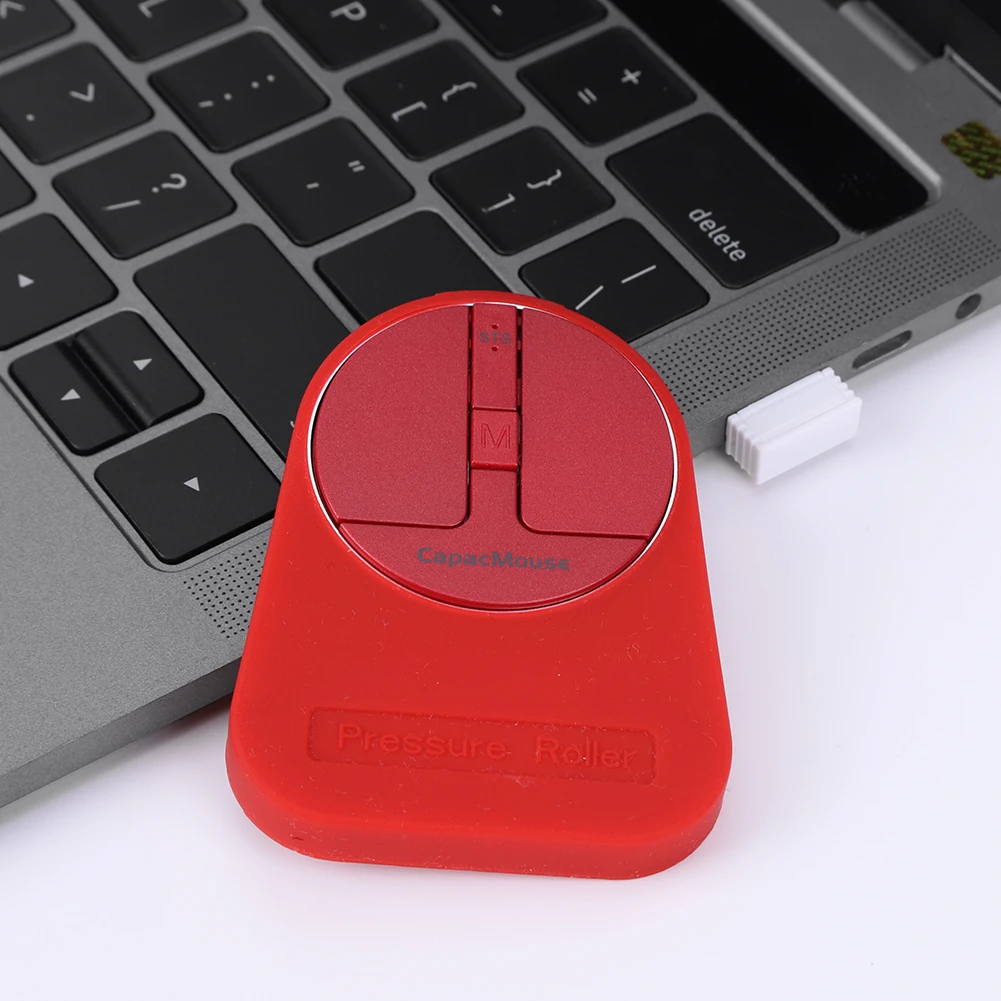 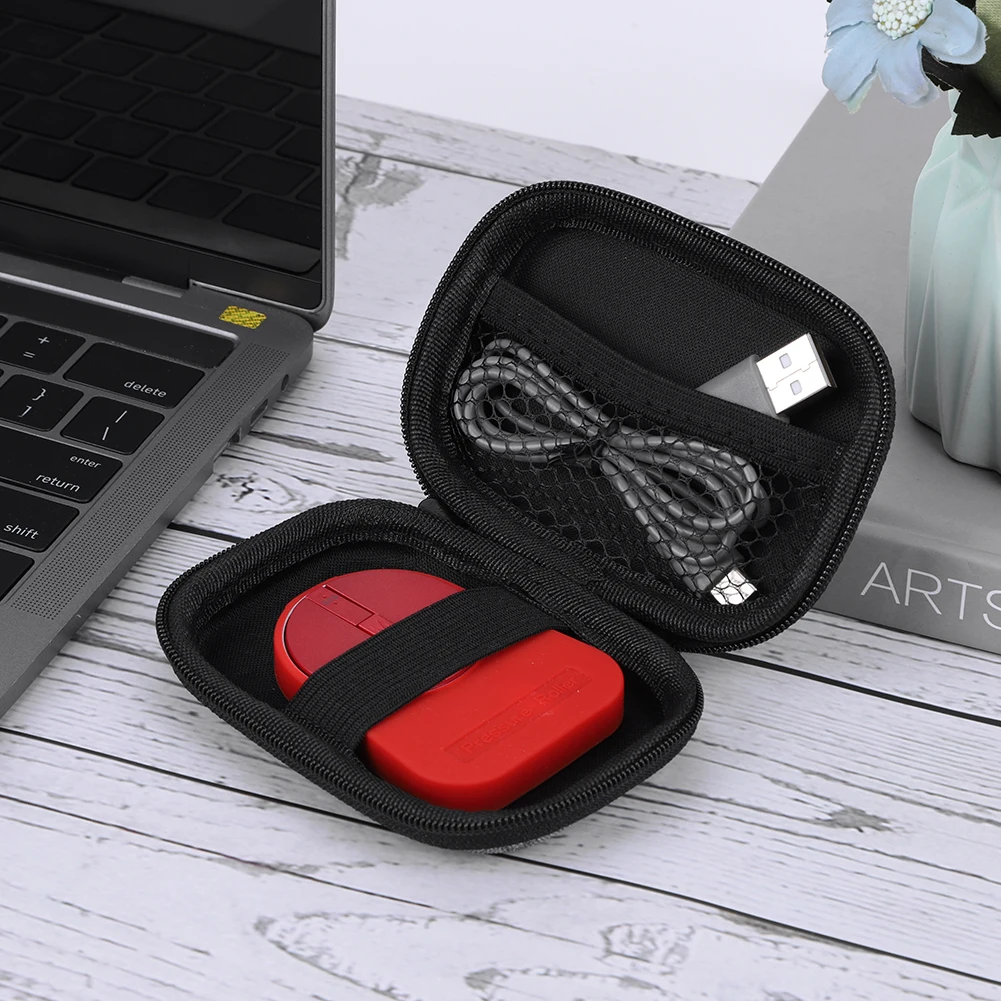 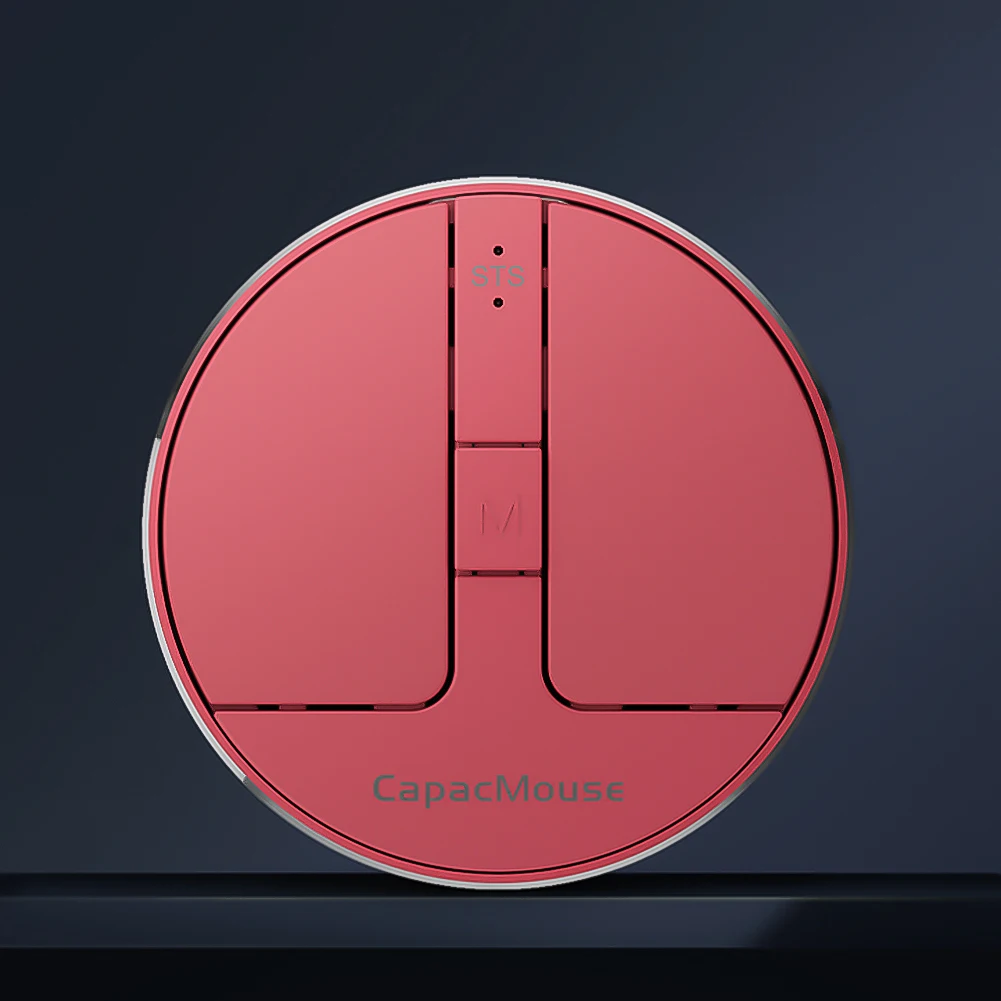 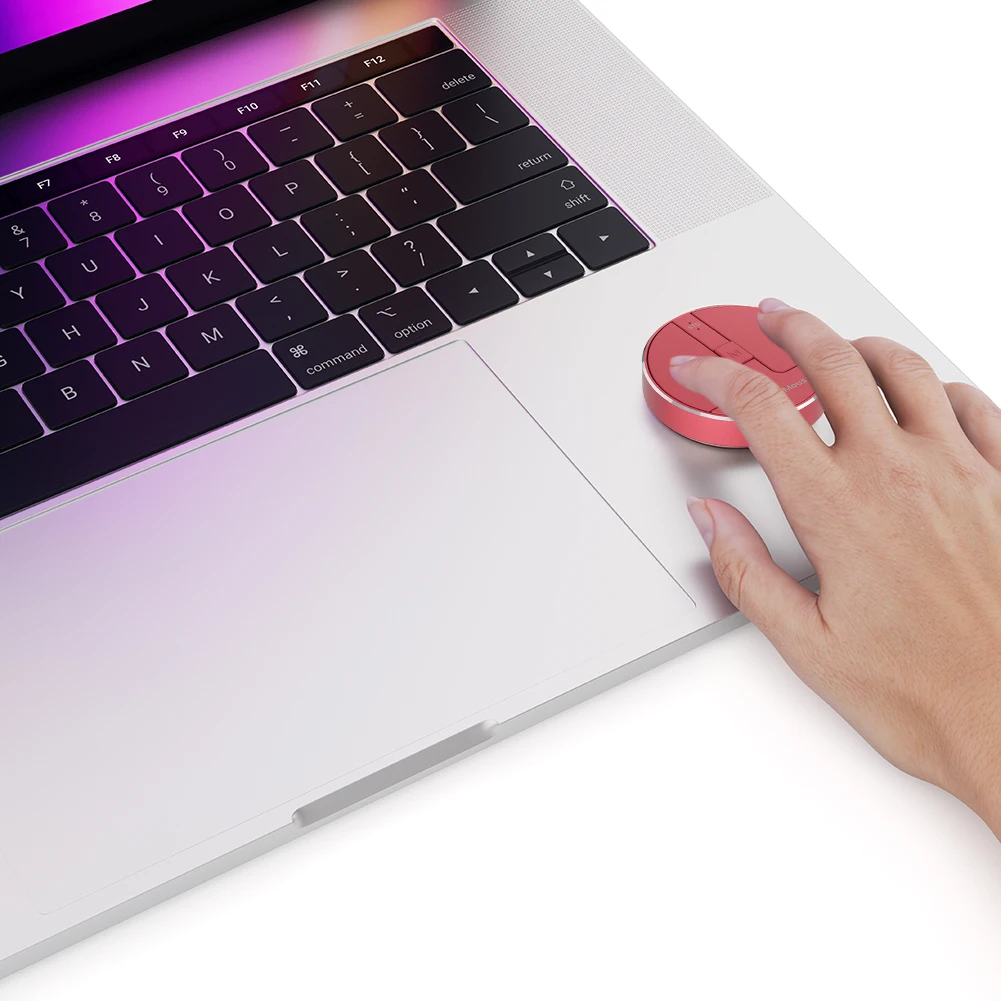 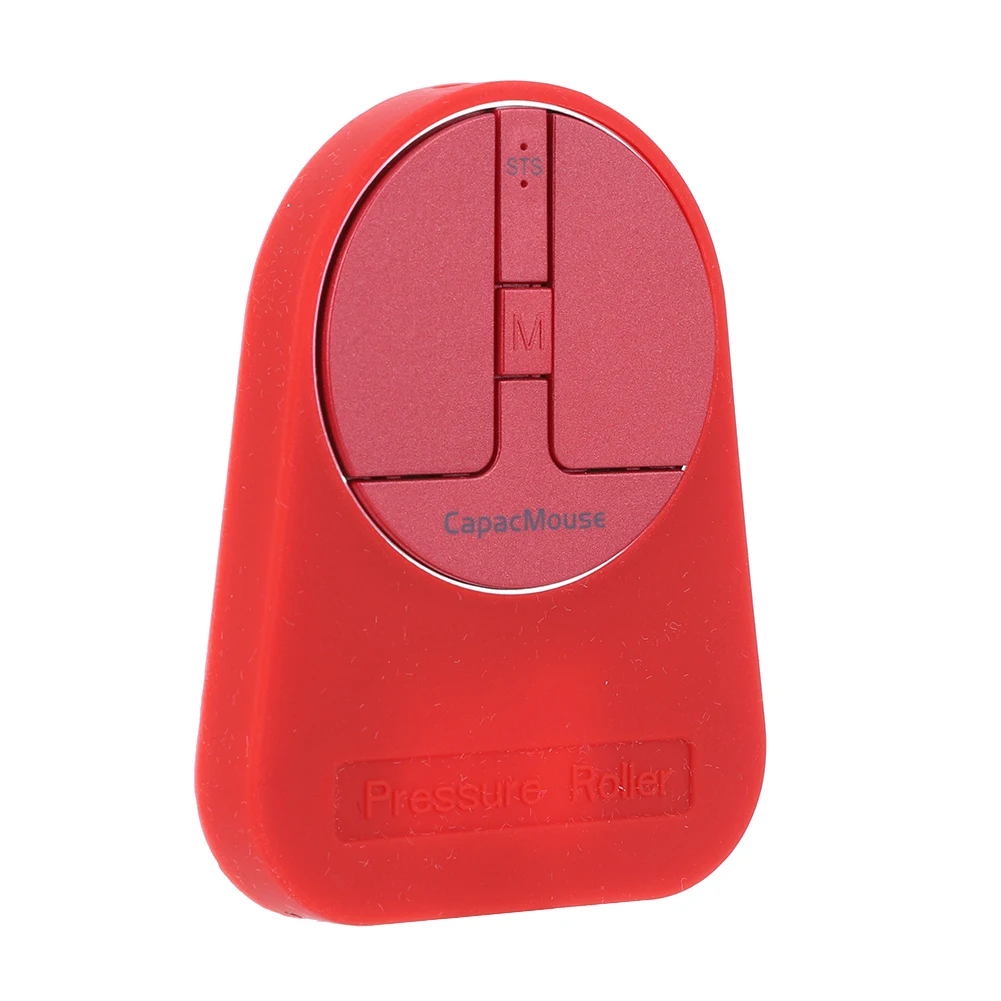 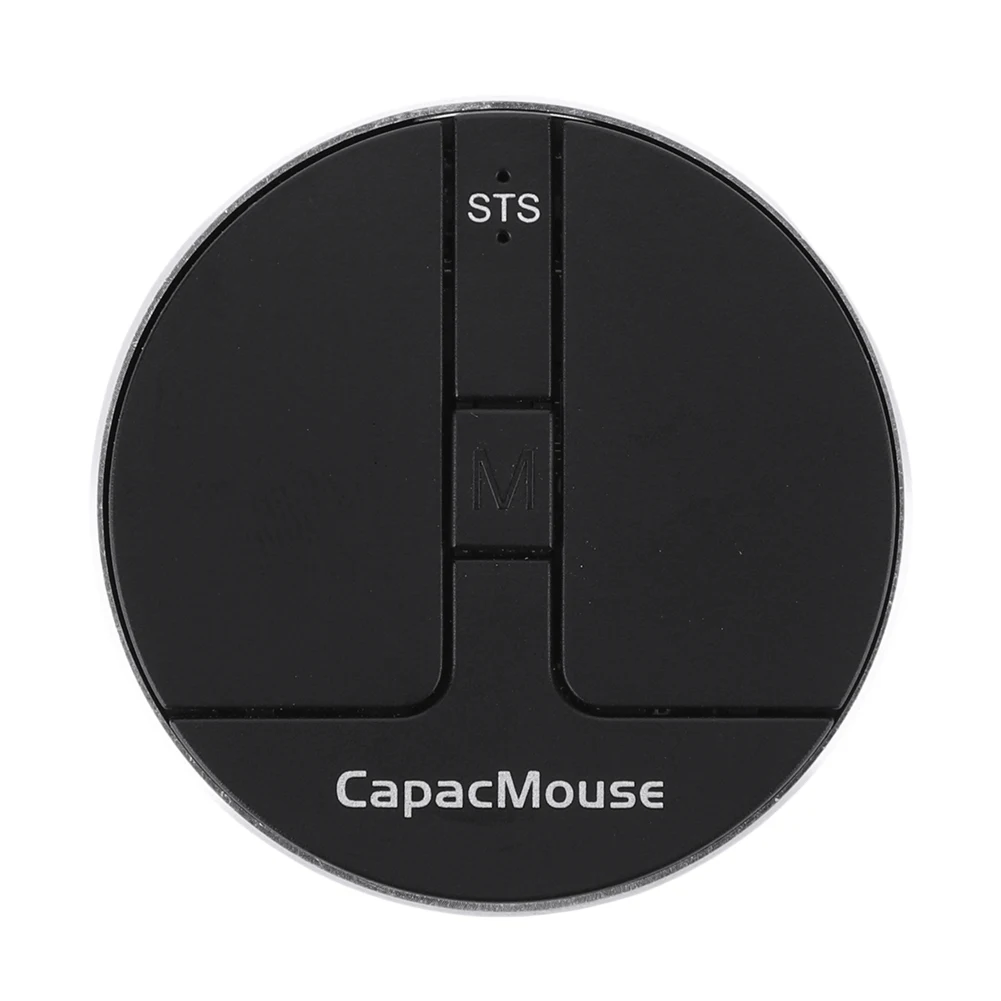 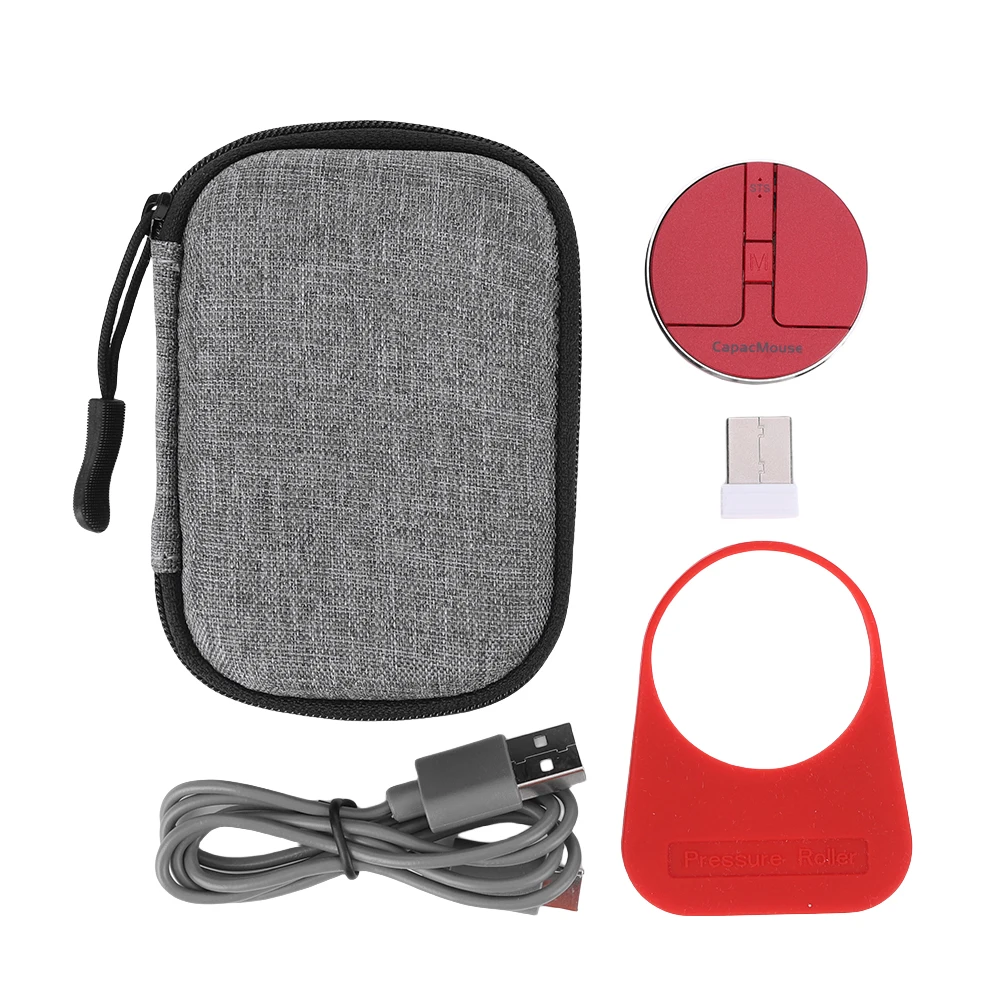 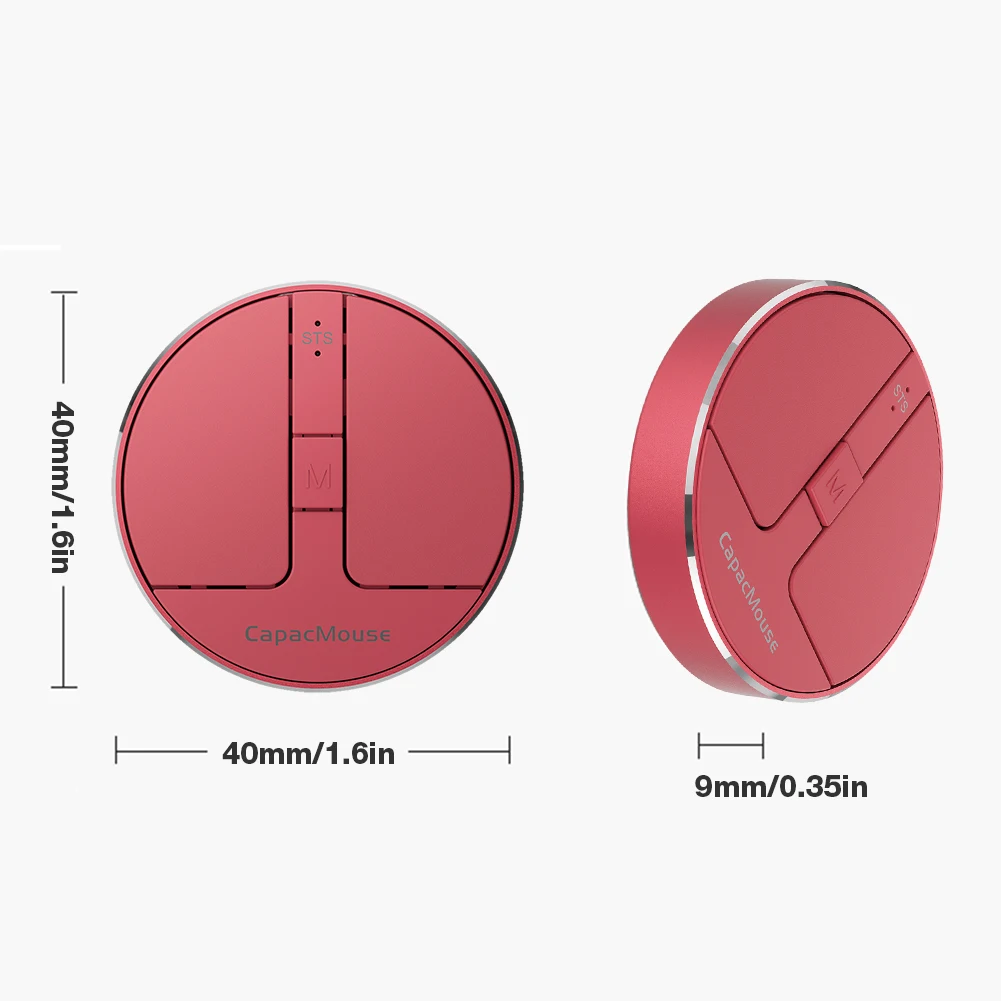

|



Product information
RICH TEXT
We understand that creating your custom size can feel daunting. But not to worry, it's actually quite easy and completely risk-free. If you're not 100% happy with your fit, we'll remake your first shirt from scratch free of charge or give your money back.
PRODUCT FEATURES
F.A.Q.
They appreciate cut and details, things that aren't so obvious.
What payment methods can I use?
We offer 35 different payment methods including major providers like Mastercard, Visa, PayPal, American Express and Diners as well as many different local payment methods including Klarna, iDEAL, AliPay, Sofort, giropay, and many more.
Can I purchase items with another currency?
Yes, you may select a currency based on your personal preference. When you select your country in the country selector on the upper right of the website or are taken directly to your country’s version of the website, you will see prices listed in the regional currency.
Can I make changes to my order after it’s been placed?
We do everything we can to fulfill orders quickly and unfortunately cannot make updates after an order has been placed. These changes include removing or adding products and/or changing the delivery address. If a mistake has been made with your order information, it’s quickest to create a new order with the correct information and then let our Customer Service.
Do you offer e-gift cards for international customers?
E-gift cards are only available to customers shipping within the U.S.
How Do I Set Up A Subscription Order?
We will deliver products to you as soon as reasonably possible. Orders are usually dispatched between 1-3 days from the date of the order being placed. Please contact us our customer service team if your delivery has not been received within the dates described.
How To Return My Items?
We do not currently offer free returns to overseas customers. You will therefore need to cover all costs of returning any items to us yourself. We advise that you mark your package ‘returned goods’ to avoid further duties. Remember: We strongly recommend that you return any items via a registered trackable service and obtain and retain proof of posting as we do not accept responsibility for items that fail to arrive with us.